Troubleshooting guide for the most frequent cold saw issues, from rough cuts and blade chatter to inaccurate lengths and premature blade wear.
Even well-maintained cold saws develop cutting problems over time. Some are obvious, like a rough surface finish you can see and feel. Others creep up on you, such as a gradual drift in cut length that doesn’t show up until parts reach assembly. Knowing how to diagnose and fix the most common problems keeps your saw running at peak performance and your scrap rate low.
Rough or Torn Surface Finish
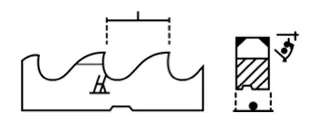
A cold saw should produce a clean, smooth cut face. If the surface is rough, torn, or shows visible feed marks, look at these causes:
Dull Blade
A dull blade is the most common culprit. As teeth wear, they stop shearing cleanly and begin tearing the material. The remedy is to resharpen the blade. Don’t wait until the finish is unacceptable; establish a regular resharpening interval based on your cut count.
Incorrect Blade Speed
Running too slow causes the teeth to dig in and tear rather than shear. Running too fast generates excessive heat, which can cause material to smear onto the tooth faces. Check your machine’s speed chart for the correct RPM based on your material type and blade diameter.
Feed Rate Too Aggressive
Forcing the blade through too quickly overloads the teeth. Reduce the feed rate and let the blade cut at its natural pace. On machines with adjustable feed pressure, back off until the cut quality improves, then find the sweet spot between speed and finish.
Wrong Tooth Count
Too few teeth per blade create a rougher finish because each tooth takes a larger bite. For finer finishes, use a blade with a higher tooth count. The trade-off is slower cutting speed, so match the tooth count to your finish requirements.
Blade Chatter and Vibration
Chatter produces a distinctive pattern of evenly spaced marks on the cut face and is often accompanied by an audible vibration during cutting.
Loose Clamping
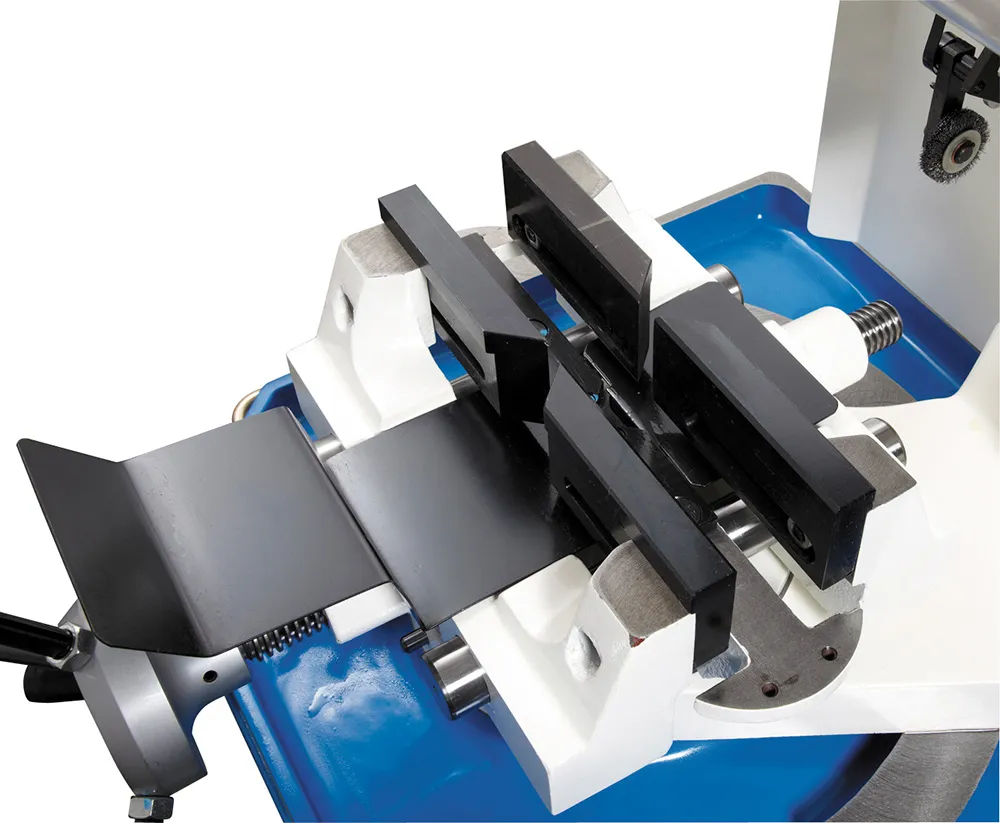
If the workpiece isn’t rigidly clamped, it will vibrate during cutting. Check that your vise jaws are tight and that the clamping surfaces are clean. Worn jaw inserts should be replaced; even a small amount of play allows movement under cutting forces.
Blade Runout
A blade that doesn’t run true will chatter. Check for runout by placing a dial indicator against the blade body while rotating it slowly by hand. Excessive runout indicates a bent blade, worn arbor, or debris between the blade and the flange. Clean all mating surfaces and check the blade for damage.
Worn Bearings
Spindle bearing wear allows the blade to deflect under load. This is a progressive problem that starts subtle and gets worse over time. If you’ve eliminated other causes, have your spindle bearings inspected.
Blade Not Properly Tensioned
On some machines, the blade must be properly seated and tensioned on the arbor. An improperly mounted blade will vibrate. Follow your machine’s blade installation procedure and torque the arbor nut to specification.
Inaccurate Cut Lengths
Length accuracy depends on the entire system: material feeding, stop positioning, and clamping.
Material Stop Misalignment
The length stop sets cut length. If it’s been bumped, loosened, or worn, your lengths will drift. Verify the stop position with a calibrated measuring tool and re-set if needed.
Material Creep During Clamping
If the workpiece shifts when the clamp engages, the cut will be off-length. This happens when the clamp approaches from the side and pushes the material. Ensure the material is seated firmly against the stop before clamping.
Thermal Expansion
In long production runs, heat buildup in the material and the machine can cause dimensional changes. If you’re seeing a gradual length drift over a shift, thermal effects are likely the cause. Adequate coolant flow helps manage this.
Servo Feed Calibration
On automatic saws with servo-driven feeds, the feed system calibration determines length accuracy. If lengths are consistently off by a fixed amount, the feed system may need recalibration.
Premature Blade Wear
If blades are wearing out faster than expected, something in your process is accelerating the wear.
Insufficient Coolant
Coolant reduces friction, flushes chips, and prevents heat buildup at the tooth edge. Inadequate coolant flow or incorrect coolant concentration is the number one cause of premature blade wear. Check your coolant level, flow rate, and mixture ratio.
Wrong Blade for the Material
Cutting stainless steel with a blade designed for mild steel will burn through teeth quickly. Match the blade material (HSS, cobalt HSS, or carbide-tipped) and tooth geometry to your workpiece material. Our team can help you select the right blade for your application.
Excessive Speed or Feed
Running faster than recommended generates heat that degrades the tooth edge. Higher feed rates increase the load per tooth beyond what the blade is designed for. Stay within the manufacturer’s recommended parameters.
Hard Spots in Material
Inconsistent material hardness, common in some imported steel, can chip teeth unexpectedly. If you’re seeing random tooth damage rather than uniform wear, investigate your material source.
Burr Formation
Some burr is normal, but excessive burring indicates a problem.
Dull Blade
As teeth lose their edge, they push material rather than cutting it cleanly, creating larger burrs. Resharpen or replace the blade.
Exit-Side Support
Burrs form primarily on the exit side of the cut where the blade pushes through the last bit of material. Proper material support on the exit side reduces burr size.
Incorrect Tooth Geometry
Different tooth styles produce different burr characteristics. If burr is a persistent issue on your material, consult with a blade specialist about alternative tooth geometries. Our blade services team can recommend the right configuration.
When to Call for Help
Some problems are straightforward to diagnose and fix in-house. Others point to deeper mechanical issues that require professional attention:
- Persistent vibration after checking blade, clamping, and bearings may indicate spindle or structural issues.
- Progressive accuracy loss that doesn’t respond to stop adjustment may indicate guide wear or frame deflection.
- Electrical or control issues on CNC machines should be handled by qualified technicians.
If you’re dealing with a cutting problem you can’t resolve, contact us or submit a service request. We can help diagnose the issue and get your saw back to peak performance.